

Watch a quick walkthrough of the audience builder powering multi-step campaigns.
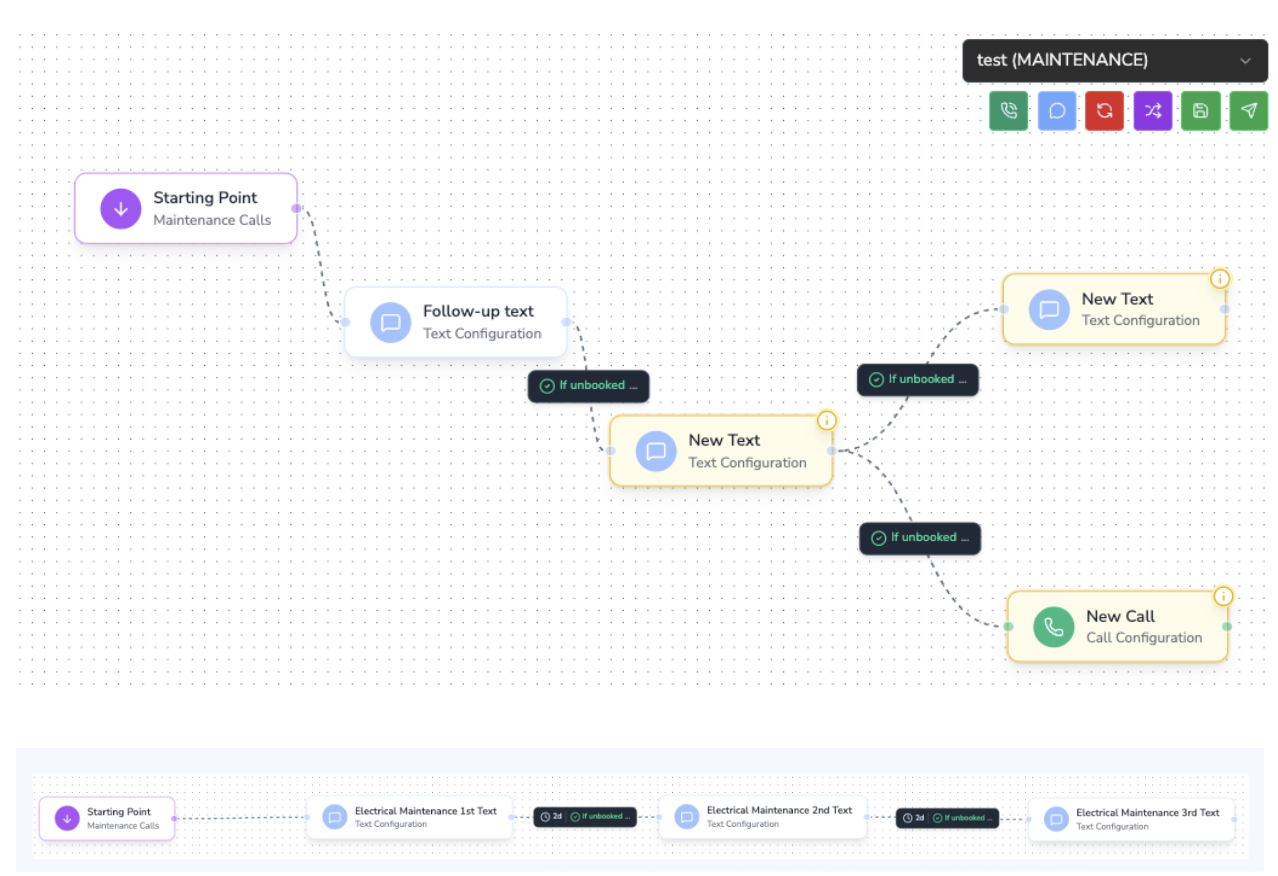
Core Building Blocks
- Entry Trigger – Choose the event or audience that feeds the campaign (e.g., new lead, audience filter, ServiceTitan event).
- Action Steps – Add SMS, voice, or task steps that send messages, assign reps, or update tags.
- Rules & Branching – Define wait timers, conditional logic, and exit criteria.
- Goals / Exit Conditions – Automatically stop the campaign once the lead converts, replies, or books.
Example: New Lead → Reminder → Estimate Follow-Up → Review Request
Building the Campaign
1. Define the Audience and Trigger
- Use a ServiceTitan audience (e.g., “New Lead Created”) or an Avoca audience filter (lead source, job type, geography).
- Decide whether the workflow should re-enroll leads when new events occur or only run once per customer.
2. Add the First Touch
- Insert an SMS action with dynamic fields like
{customer.first_name},{job.type}, or custom tokens. - Enable automatic opt-out language if required in your region.
3. Insert Wait Timers and Conditions
- Use Delay blocks to pause for hours/days between steps.
- Add Conditional nodes to check CRM fields (appointment scheduled, estimate status, membership tier) before sending the next message.
4. Layer Additional Steps
- Reminder SMS: Send only if
response_status = no_reply. - Estimate follow-up: Trigger from ServiceTitan’s estimate creation timestamp or stage change.
- Review request: Reference job completion date and include a dynamic review link.
5. Configure Exit Rules
- Stop the campaign when the customer replies with a booking confirmation keyword.
- Remove customers who call in and convert via another channel.
- Apply tags (e.g.,
review-request-sent) so downstream workflows know the customer exited.
6. Test and Launch
- Run the workflow in Test Mode to preview message content and delays.
- Set the campaign live and monitor analytics (response rate, conversion rate, drop-offs per step).
Best Practices
- Segment by intent: Create separate branches for hot leads vs. colder follow-ups.
- Use throttling: Limit daily sends to avoid overwhelming a small team with callbacks.
- Combine channels: Mix SMS with call tasks or email nudges for higher conversion.
- Maintain compliance: Respect opt-out keywords and automatically suppress unsubscribed contacts.