

Campaign Reporting
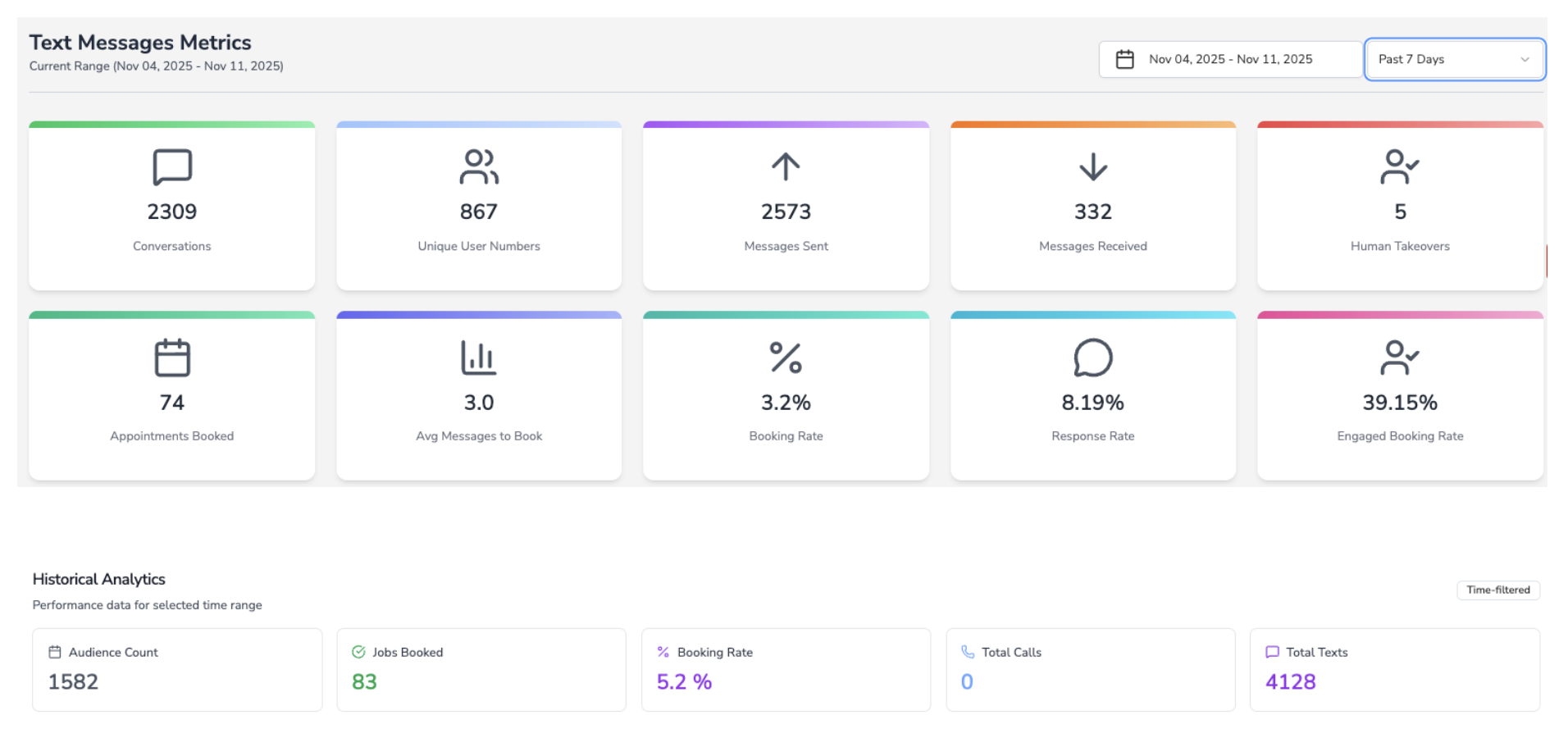
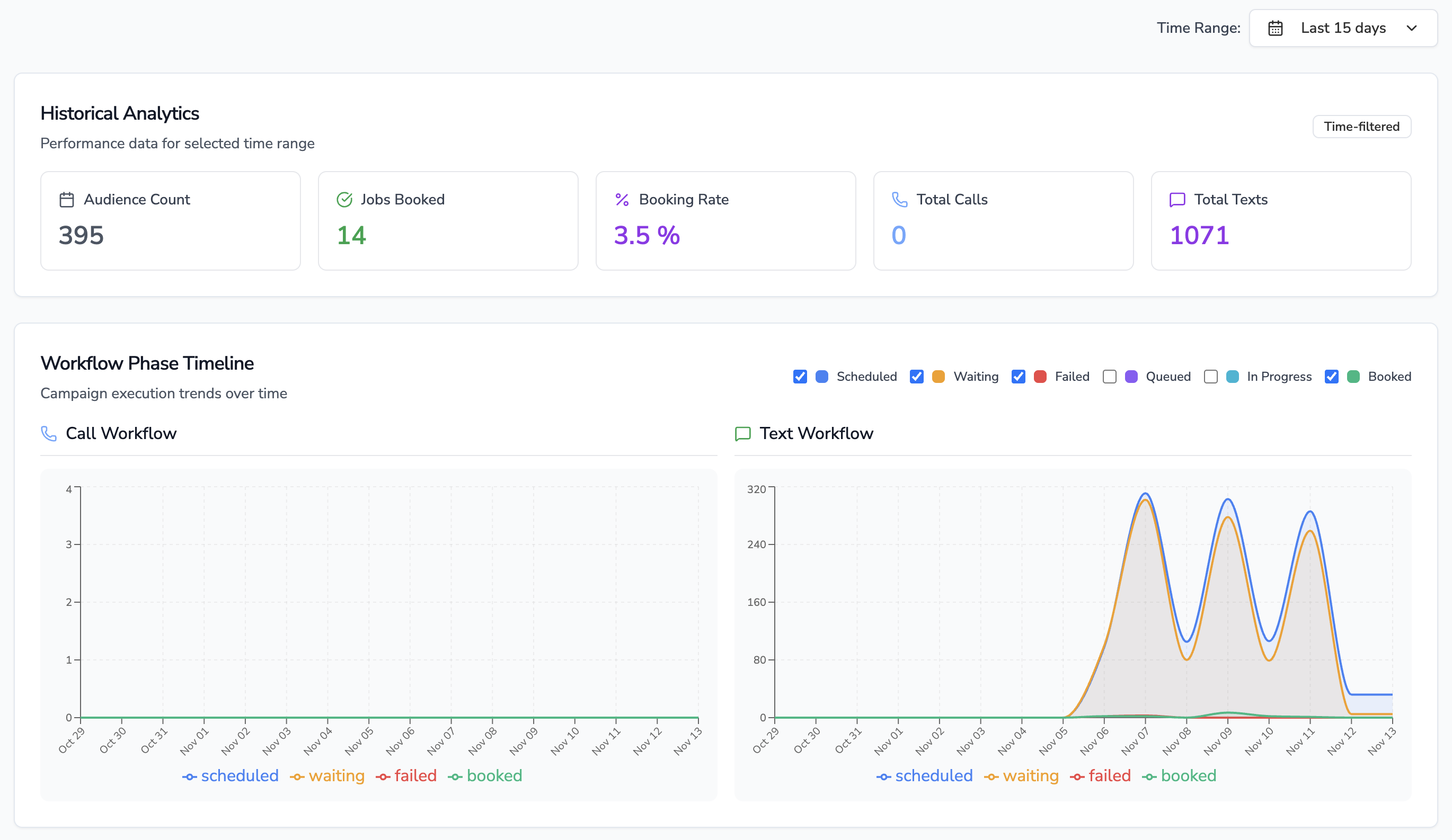
- Campaigns share a single dashboard that blends real-time telemetry (“Waiting Calls/Texts”, “Scheduled”, “Completed Today”) with historical KPIs (“Audience Count”, “Jobs Booked”, booking rate, total calls/texts).
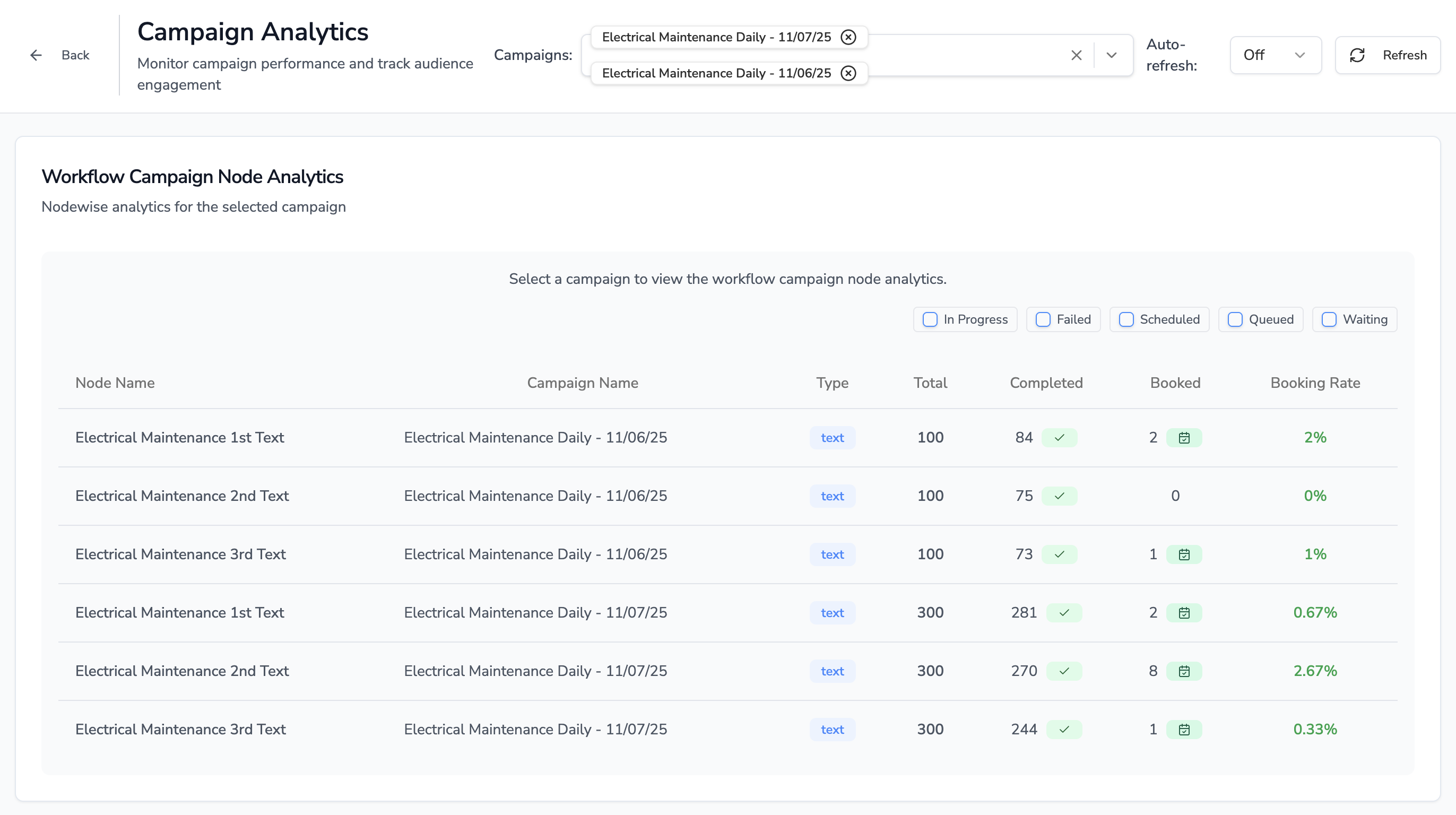
- Drilling into a published campaign reveals a node-by-node table showing how many contacts were scheduled, queued, waiting, failed, completed, and booked—making deliverability, reply rates, and opt-out counts visible per step.
- SMS steps that include trackable short links feed click counts and click-rate percentages into the analytics dataset, so clicks sit alongside replies and conversions.
Watch the campaign analytics flow in action.
Attribution to Leads, Jobs, and Revenue
- Each audience member carries ServiceTitan customer IDs, job IDs, job types, and appointment timestamps throughout the workflow.
- When a workflow node books a visit (via call or text), the analytics service increments “Jobs Booked” and logs the exact campaign audience record plus the originating node.
- Because every booked job references the original ServiceTitan identifiers, downstream revenue attribution in ServiceTitan reports remains intact—you can trace installs or estimates back to the originating SMS branch.
CSR / Employee Workflow
- Segment & Launch – A CSR or marketer builds the audience, then uses the campaign creation modal to pick the workflow, audience, sending number, business-unit/tag filters, and launch time (all ServiceTitan targeting fields are available there).
- Monitor & Interact – After launch, the CSR watches campaign status (Created, Scheduled, Active, Paused, Completed) and live counts of completed calls/texts. The analytics view shows the workflow diagram with node metrics, and inbound replies open conversation threads where CSRs can chat, log notes, or escalate.
- Compliance & Opt-Outs – STOP/RESET or conversational opt-out replies automatically mark contacts as opted out, close the thread, and highlight the state inside the conversation UI so agents don’t re-engage inadvertently.
A/B Testing & Comparisons
- Native split-testing isn’t released yet. Today teams clone workflows or campaigns, tweak messaging or branching, and compare booking rate, failures, and job counts side-by-side in the analytics dashboard.
- Full A/B testing is on the roadmap; once available, the analytics view will treat each variant as part of a single experiment instead of separate campaigns.